You can use a real camera and a relative in a Santa suit, edit Santa into a screenshot, or use an AI tool that adds Santa to a photo. Cursed Cam makes a whole security monitor from photos of your rooms, with Santa caught on the cameras you choose.
SANTA CAM
Catch Santa on camera, in your own house
Upload a photo of your porch, hall or living room. We turn it into a night-vision security camera where Santa gets caught tiptoeing past, ready to play on the TV on Christmas morning.
Drag photos hereYour camera roll is fine
4, 9 or 16 photos of your house, garden or venue
JPG, PNG or HEIC. Phone photos are perfect.
Photos start you with Santa gets caught. Want another? Pick a style card instead.
SANTA AND THE NORTH POLE, FOR EVERYONE
Santa gets caughtFunny, not frightening: Santa and his elves caught on camera.For example: Santa tiptoes in, eats the mince pie, and gets stuck on the way out.START WITH THISWinter magicSnow, lights and something wonderful passing by.For example: Snow falls past the window as reindeer cross the yard, their breath steaming.START WITH THIS
From your photo to the monitor
One real order, the same place three times: the photo, the night still we make from it, and the clip filmed from that still.
1 · YOUR PHOTO
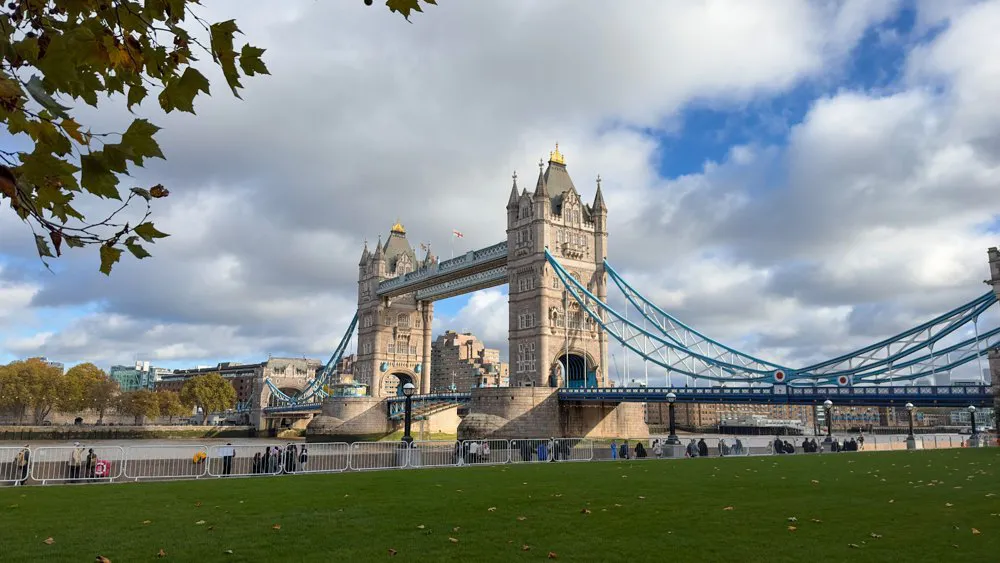
A PHOTO OF YOUR PLACEAny room, porch or garden. A phone photo is fine. 2 · NIGHT STILL
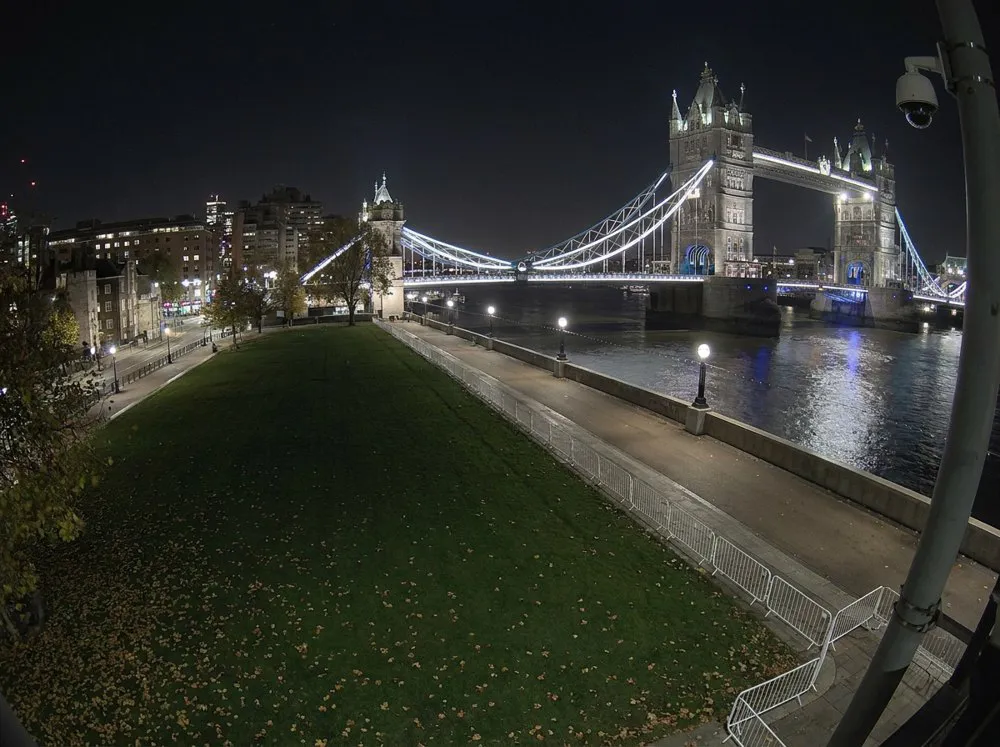
A SECURITY CAMERA'S VIEWLifted to a ceiling corner, the lights lowered, people and pets taken out. 3 · THE CLIP
CAM 01 · RIVERSIDESANTA GETS CAUGHTFilmed from that night still: Santa tiptoes in with his sack, freezes when he notices the camera, then sneaks off.
Four ways to catch Santa on camera
A relative in a red suit who walks past a real camera is the most convincing, and needs a suit and a willing Santa. A screenshot of your doorbell camera with Santa edited in gives you one picture. An AI video app that adds Santa to a single frame gives you one short clip.
Or you can do what Cursed Cam does: turn photos of your rooms into a whole security monitor, with several cameras, timestamps and static, where Santa turns up on the ones you chose. The kids can watch the house, not just one clip.
What the kids see on Christmas morning
You open a private link on the TV, a laptop or a tablet. It looks like a real 90s security console: cameras named FRONT DOOR and LIVING ROOM, a clock that ticks, REC blinking, and a camera that drops to NO SIGNAL and comes back.
Every camera has a quiet clip, a clip with people passing through, and a clip where Santa gets caught. The clips are AI-made from your photos, so they are not real camera footage. Whether to tell the kids is up to you.
Tips that make it more believable
Photograph each place from a high corner, the way a real camera would sit, and keep as much floor in the shot as you can. Take the photo in the evening with only the tree lights on, so the night-vision look has something to work with.
Name the cameras the way a real system would: FRONT DOOR, LIVING ROOM, BACK GARDEN. Pick the places Santa would really visit: by the tree, near the fireplace, at the door. If you want the kids to find proof, leave out a cookie plate and watch the monitor together.
How long it takes and what it costs
Filming takes about an hour once you press start, so order a day or two ahead for Christmas morning.
Party is $99 for a 2×2 grid: 4 cameras, 12 clips. Haunt is $199 for a 3×3 grid: 9 cameras, 27 clips. You pay once. If you want a clip to share, downloading every clip as an MP4 with no watermark is included in Pro and $19 on the other plans. You can refund yourself any time before generation starts.
Good for
- Show the kids the Santa cam on Christmas morning
- Leave the monitor running on the sideboard on Christmas Eve
- Send the link to grandparents so they can watch it too
- Make a camera for the porch and another for the tree
- Download a clip to share with the family group chat
Pay once. Keep it.
Why it costs what it does
Every clip is made fresh for your place on the best AI there is, because cheaper AI gets the details wrong: people the wrong size, feet sliding, someone melting into the floor. The best costs more per second, and we pay for every second.
- THE MOST REALISTIC VIDEO
- The people and the scares are filmed on the most realistic video AI there is, and the most expensive: about 16 cents for every second of footage.
- YOUR ROOMS, AT NIGHT
- Each photo becomes a night-time security still that keeps your real rooms, furniture and doors where they are.
- WATCHED BEFORE YOU SEE IT
- Every clip is planned for its camera, then watched frame by frame when it's done. One that looks wrong is filmed again, on us.
A Haunt monitor is 27 clips, about 6 minutes of footage, made for your place alone.
Questions
Not inside your doorbell app. Take a photo or a screenshot of your porch and upload it, and we make Santa clips from it on a separate monitor link. Cursed Cam is not affiliated with Ring, Nest or any other camera brand.
No. The clips are AI-made from your photos. They are made to look like security footage, and they are not recordings of anything that happened.
Yes. Downloading every clip as an MP4 with no watermark is included in Pro and costs $19 as an add-on on Party and Haunt.
Santa gets caught and Winter magic are written to be funny and gentle, with nothing frightening. The darker styles are meant to unsettle, so keep those for adults and older children.
You can refund yourself any time before generation starts. Once your clips are being made, we can't refund, because the AI compute is spent.